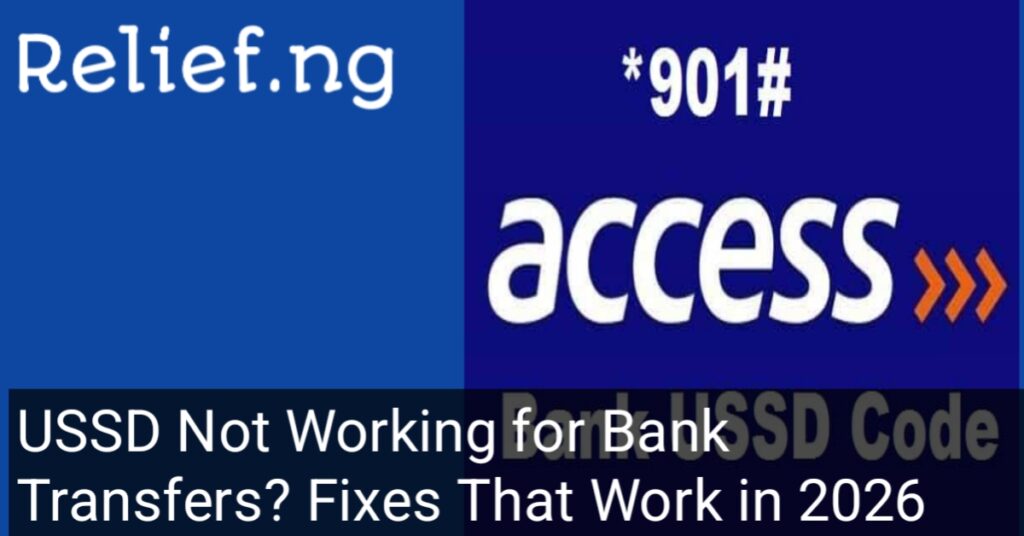

How to unblock my Access Bank USSD code, USSD Not Working for Bank Transfers? Fixes That Work in 2026
It is a common scenario in Nigeria: you are at a market or trying to pay a taxi driver, and you dial your bank’s USSD code (like *901# or *737#), but instead of a successful transfer, you get an error message. It might say “Connection Problem,” “Invalid MMI Code,” or even tell you that your profile is blocked.
This can be incredibly frustrating, especially when you don’t have enough data for your banking app or you are in an area with poor 4G/5G coverage. At Relief.ng, we know that USSD is a lifeline for many Nigerians, and we are here to help you get it working again. If you are specifically looking for how to unblock my Access Bank USSD code, this guide has the exact steps you need.
Why This Happens
USSD (Unstructured Supplementary Service Data) depends on a delicate connection between your mobile network (MTN, Airtel, Glo, or 9mobile) and your bank’s server.
Common reasons why USSD fails in 2026 include:
- Security Lockout: If you enter the wrong PIN three times, the bank automatically blocks your USSD profile to protect your money.
- Network Congestion: Sometimes the “handshake” between your telco and your bank times out because too many people are using the service.
- SIM Swap or Update: If you recently did a SIM upgrade or “Welcome Back,” your bank might temporarily disable USSD for 24 to 48 hours to prevent fraud.
- Inactivity: If you haven’t used USSD in a long time, your profile might become “dormant” and require a simple refresh.
Read also:
How to Reverse a Wrong Bank Transfer in Nigeria (2026 Guide)
Card Declined in Nigerian Banks? Common Causes & Solutions
How to Reactivate My Dormant Bank Account in Nigeria (2026)
My Transaction is Successful but the Beneficiary Has Not Received the Amount Yet
Why Your Bank Transfer Is Pending for Hours (And What to Do) 2026
How to Open Access Bank Account Online with BVN in Nigeria (2026)
BVN Issues in Nigerian Banks: How to Resolve Them Step by Step
Account Restricted in Zenith Bank? Reasons & How to Fix It in 2026
How to Retrieve Money Debited but Not Received in GTBank Online (2026 Guide)
Step-by-Step Solution: How to Unblock Your USSD Code
If your USSD is not working or says “Profile Blocked,” follow these steps. We will use Access Bank as a primary example, but these steps work for most Nigerian banks.
1. Check Your Mobile Signal
Before assuming your bank has blocked you, check your signal bars. USSD requires a stable GSM connection. If you are on “Emergency Calls Only,” the code will not work. Try toggling “Airplane Mode” on and off to refresh your network.
2. How to Unblock My Access Bank USSD Code
If you are an Access Bank customer and your *901# is blocked, you can often fix this without going to the bank:
- The Reset Method: Dial *901*911# from your registered phone number. Follow the prompts to reset your profile.
- Mobile App Toggle: Log into your AccessMore app, go to Settings or Security, and look for USSD Management. You can often toggle your USSD status from “Disabled” to “Enabled.”
- The Helpline: Call Access Bank’s dedicated customer fulfillment center at 01-271-2005 to request a manual unblock after verifying your identity.
3. Clear “Invalid MMI” Errors
If you get an “Invalid MMI” or “Connection Problem” error, it is usually a network issue. Add a comma at the end of the code (e.g., dial *901#,) or change your network settings from 4G/5G to “2G Only” temporarily to let the USSD string pass through more easily.
4. Link Your NIN (If Required)
In 2026, the Central Bank of Nigeria requires all bank profiles to be fully linked with a verified NIN and BVN. If your USSD suddenly stopped working, dial *996# to ensure your SIM is properly linked to your NIN.
How Long It Usually Takes
- Network Refresh: Instant to 5 minutes.
- Self-Service Unblocking: Usually takes 15 to 30 minutes to reflect.
- Bank Helpline Unblocking: Should be resolved within 2 hours after your call.
Common Mistakes to Avoid
- Using the Wrong SIM: USSD only works on the phone number registered to your bank account.
- Repeatedly Typing the Wrong PIN: After two failed attempts, stop. If you try a third time and fail, you will definitely be blocked for 24 hours.
- Borrowing Airtime: Some banks require you to have at least ₦10 to ₦20 airtime on your SIM to process the “Network Charge” for USSD, even if the bank doesn’t charge you directly.
Important Safety Warnings
- Never Share Your PIN: No bank staff will ever ask for your USSD PIN to unblock your account.
- The “Reset” Scam: If someone calls you and tells you to dial a code to “help you unblock your USSD,” do not do it. They might be making you authorize a transfer to their own account.
- Relief.ng is an information platform and will never ask for your banking details or PINs.
Frequently Asked Questions (FAQs)
1. Why does my USSD say “Service Unavailable”? This is usually a temporary downtime from either your bank or your mobile network provider (MTN, Airtel, etc.). Wait 15 minutes and try again.
2. Can I unblock my Access Bank USSD code if I lost my SIM? No. You must first do a “SIM Swap” at your network provider’s office. Once the SIM is active, you can then follow the unblocking steps.
3. Is there a charge for unblocking USSD? Banks do not charge a fee for unblocking your USSD profile, though your mobile network may charge a small ₦6.98 NIBSS fee for the session.
4. Can I use USSD without airtime? Most Nigerian banks have a “Zero Data” USSD agreement, but some mobile networks still require you to have a minimum airtime balance (usually ₦10) to initiate the session.
Conclusion
USSD is one of the most convenient ways to bank in Nigeria, but security rules can sometimes lead to blocks. By using the official reset codes or the mobile app, you can usually fix the issue in minutes. Stay calm, protect your PIN, and you will be back to making transfers in no time.
Are you still getting an “Invalid MMI” error after trying these steps? Tell us which bank and network you are using in the comments, and we will try to help you troubleshoot!
Relief.ng is an independent guide and information platform. We are not a bank. For official assistance, please contact your bank’s customer care directly via their verified channels.